RunPod Template
Nuvu Labs provides a RunPod template to quickly deploy ComfyUI from anywhere, even if you don't own a GPU yourself.
Sign Up for RunPod
Use our referral code to sign up for RunPod if you don't already have an account: https://runpod.io?ref=ffbuz4zw
Deploy the Template
Access the Nuvu template directly: Deploy Nuvu on RunPod
When you click on the link with a valid account, you'll be prompted to start a pod.
Configure Your Pod
Network Storage (Recommended)
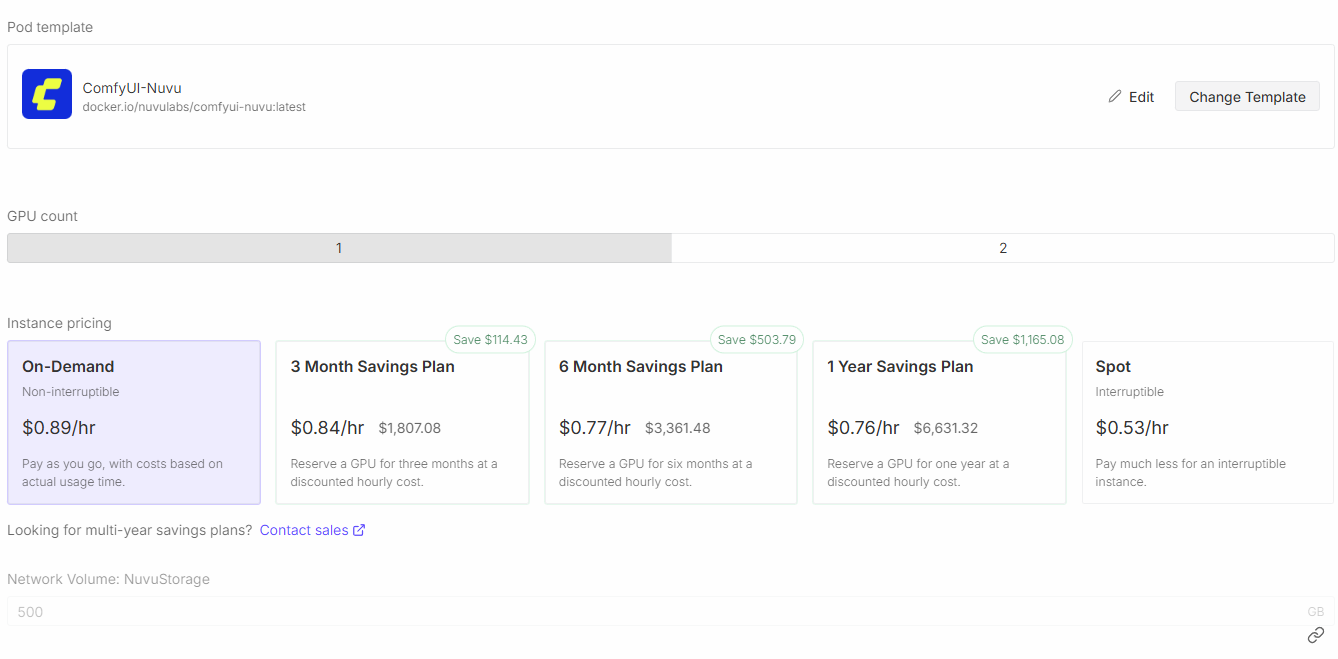
Nuvu Labs recommends setting up Network Storage of 500GB minimum, preferably up to 1TB or more to handle the large size of the models. This allows you to keep all your work and you won't have to restart all over again each time you start a new pod.
CUDA Version
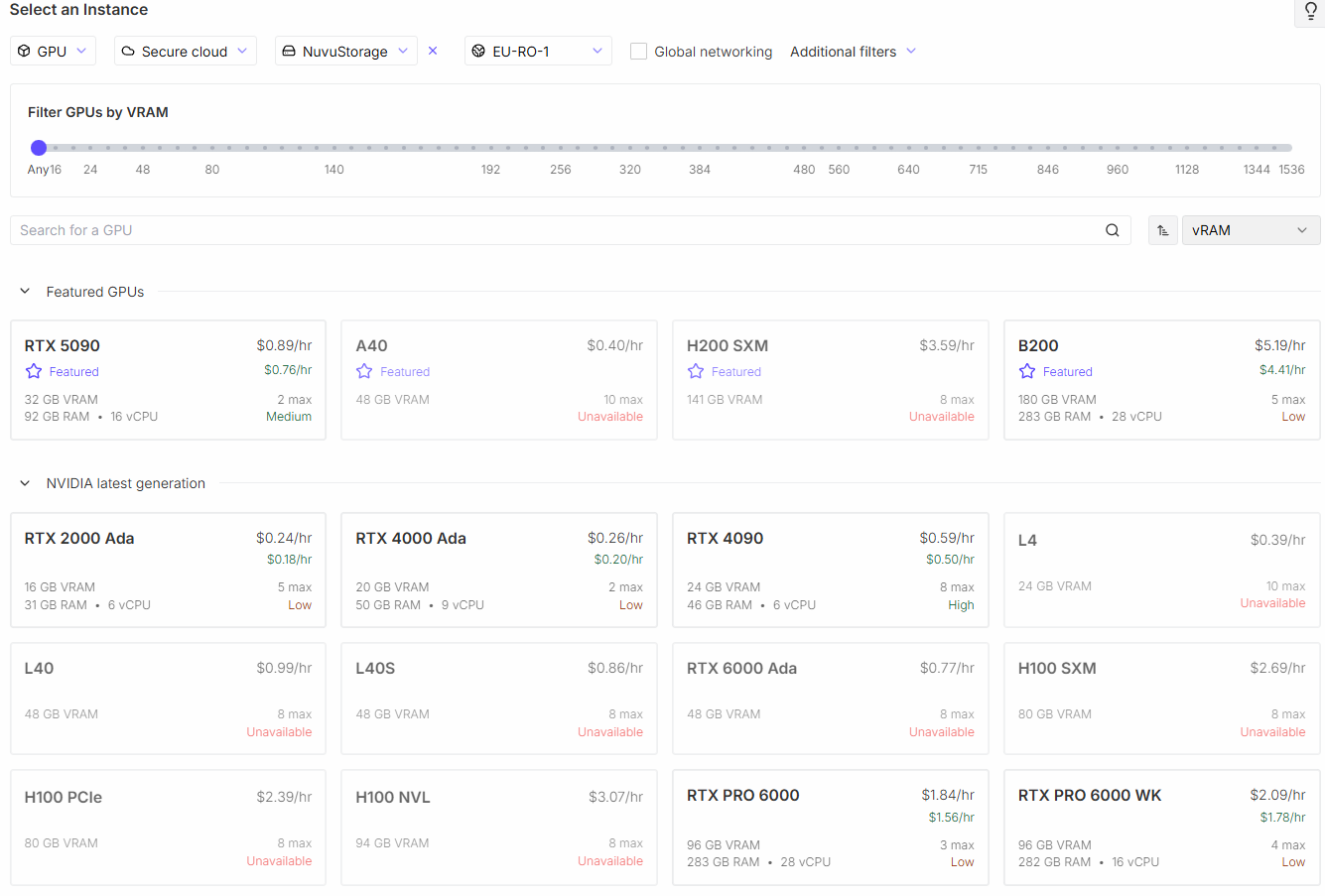
Select your network storage and CUDA versions as shown below. CUDA 12.8 or 12.9 are required because of Blackwell architecture support for RTX 50xx series.

GPU Selection
Select a GPU from the list. For most production work, Nuvu Labs recommends an RTX 5090 at minimum. The RTX 5090 is an excellent balance of speed and value.
Deploy
Once you've selected your GPU and confirmed the ComfyUI-Nuvu template is selected, click "Deploy On-Demand".
First-Time Setup
If this is your first time launching ComfyUI on your network storage or if you do not plan to use network storage, expect about 20 minutes of first-time setup.
Monitor the Logs
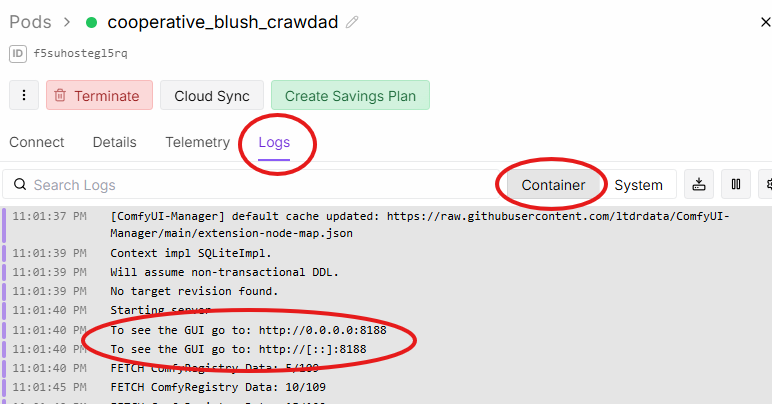
Go to the logs of your RunPod pod, and wait until you see the circled message in the container logs. That tells you that ComfyUI is ready.
Connect to ComfyUI
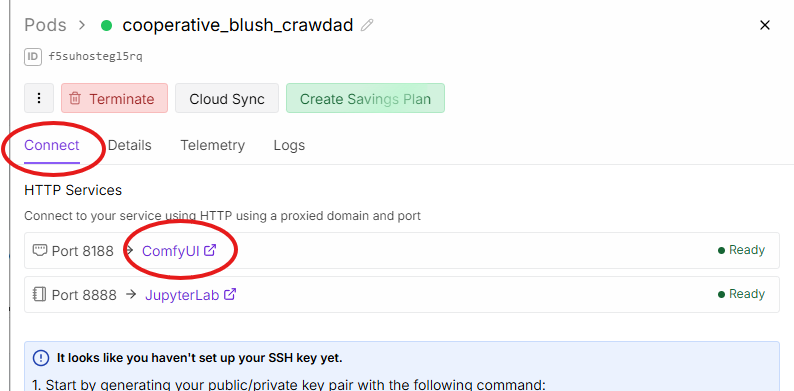
Click "Connect", and then click "ComfyUI" to open ComfyUI. A JupyterLab session is also provided, where you can view the pod's filesystem.
Next Steps
- Create an Account — Sign up for free
- Subscribe to Premium — Unlock all workflows
- Workflow Installer — Install production-ready workflows