The Nuvu Advantage
The Nuvu Plug-in for ComfyUI gives you instant access to premium workflows specifically designed for production pipelines. The Nuvu difference is when you download a workflow, you get everything needed to run the workflow. No more searching for obscure custom nodes or models.
On top of that, the workflows are condensed into easy-to-use subgraphs that can be searched just like any node.
Example: Installing Z-Image-Turbo
Let's walk through an example to show how seamless the Nuvu experience is.
Step 1: Find and Install the Workflow
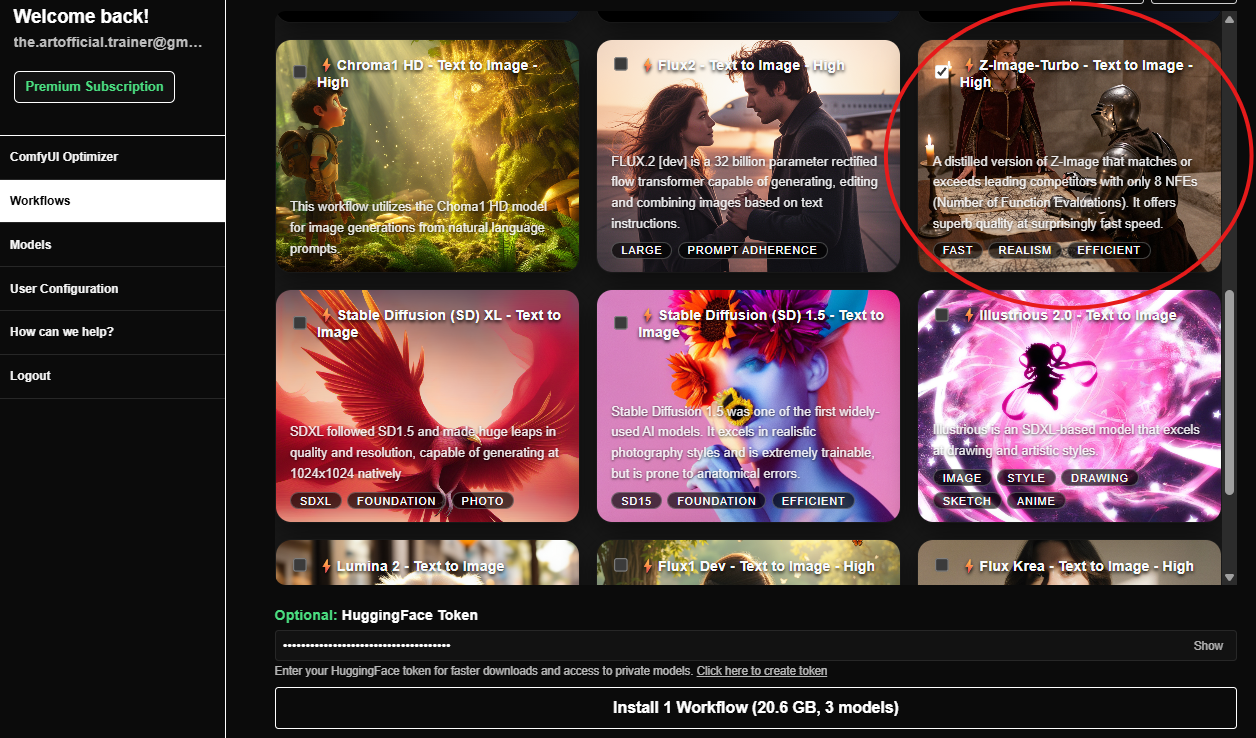
After clicking Install, all workflows, subgraphs, custom nodes, and models for running Z-Image-Turbo will install automatically.
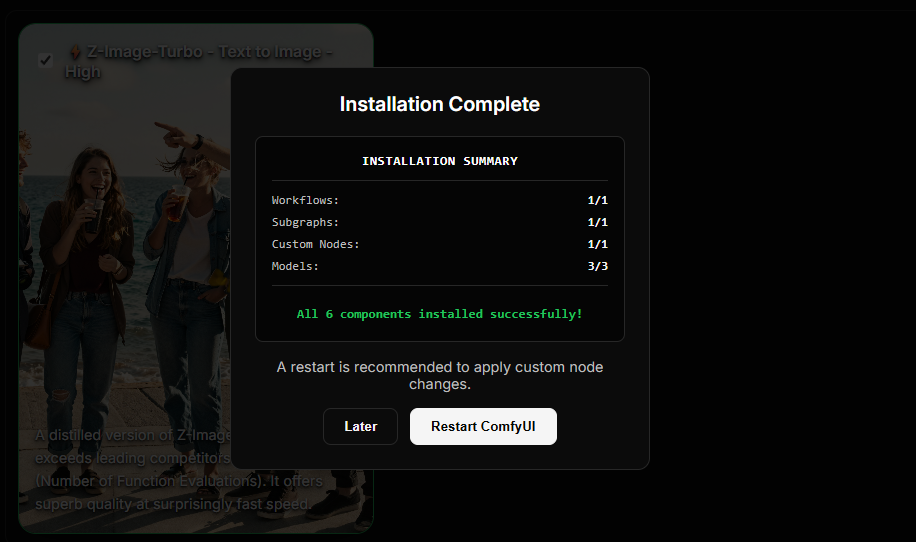
Step 2: Restart ComfyUI
Now restart ComfyUI and check out what was installed.
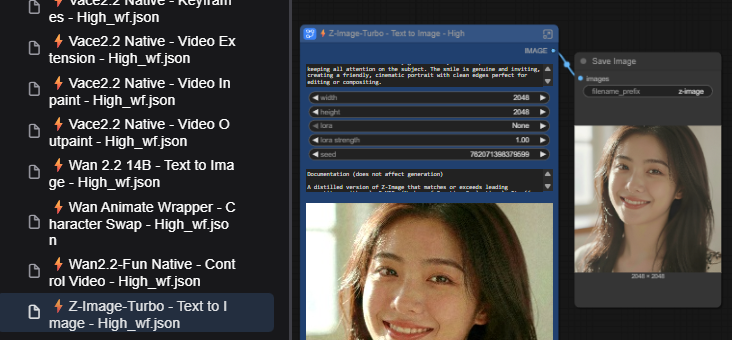
Step 3: Use the Workflow
This is the workflow that was downloaded. It contains a Z-Image-Turbo subgraph with documentation for what all of the inputs and outputs do. The models were already installed, so just click "Run" — as long as you have the VRAM, it will run immediately.
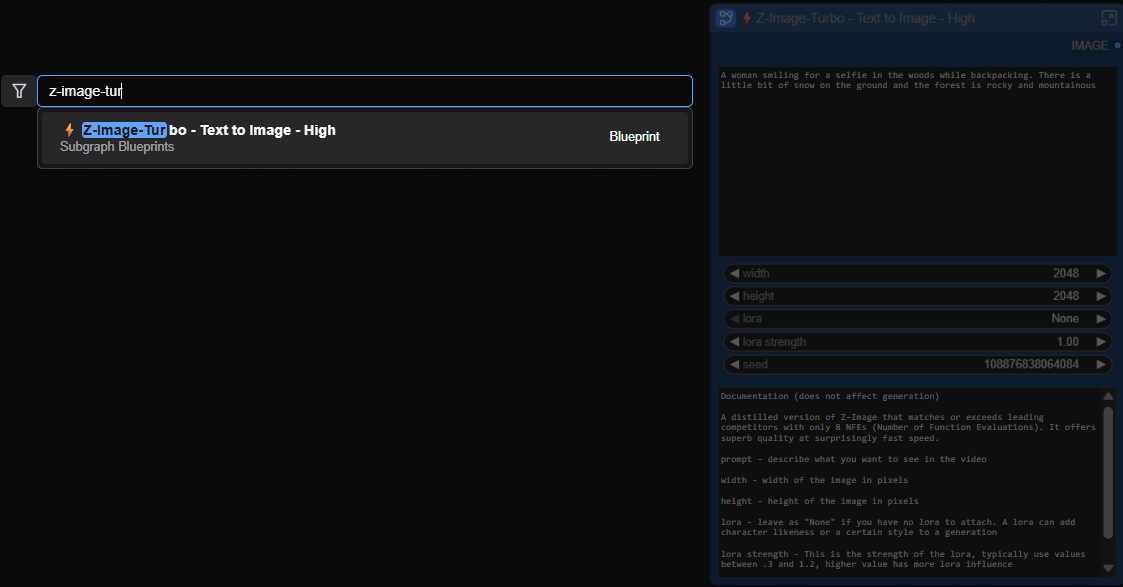
Step 4: Use the Subgraph Anywhere
Here is the searchable subgraph. Search for it as you would any other node, and connect it into your favorite image-to-video workflow or anywhere else you'd like.
Nuvu has created an extremely efficient pipeline for getting workflows into your hands quickly, so when a new model is released, Nuvu is committed to delivering the capability to you quickly and seamlessly.
Get Started
Ready to experience the Nuvu advantage?
- Install Nuvu — Choose from Windows, Linux, Comfy Manager, RunPod, or Docker
- Create an Account — Sign up for free
- Subscribe to Premium — Unlock all workflows and features
Learn More
- Workflow Installer — Browse and install 100+ workflows
- Subgraphs — Learn how subgraphs work
- Model Installer — Install models with one click
- How Can We Help? — Custom development and consulting