Subgraphs
Subgraphs are one of Nuvu's most powerful features. When you install a workflow, its core functionality is packaged as a searchable, reusable node.
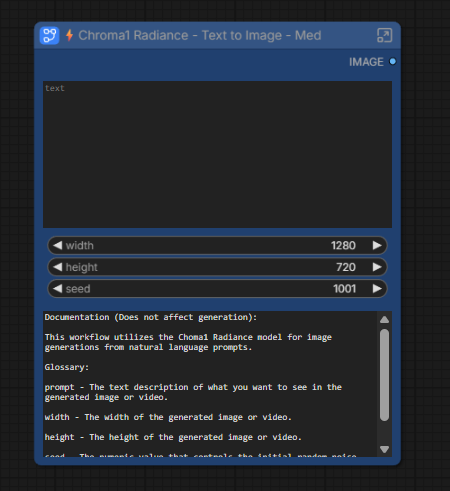
What Are Subgraphs?
A subgraph is a complex workflow condensed into a single node. Instead of building the same pipeline repeatedly, you can:
- Search for the subgraph like any other ComfyUI node
- Drop it into your canvas
- Connect inputs and outputs
Benefits
- Reusability — Use proven workflows as building blocks
- Simplicity — Hide complexity behind clean inputs/outputs
- Chainability — Connect multiple subgraphs together
- Documentation — Each subgraph includes descriptions for all inputs and outputs
Example: Z-Image-Turbo
When you install Z-Image-Turbo, you get both the full workflow and a subgraph:
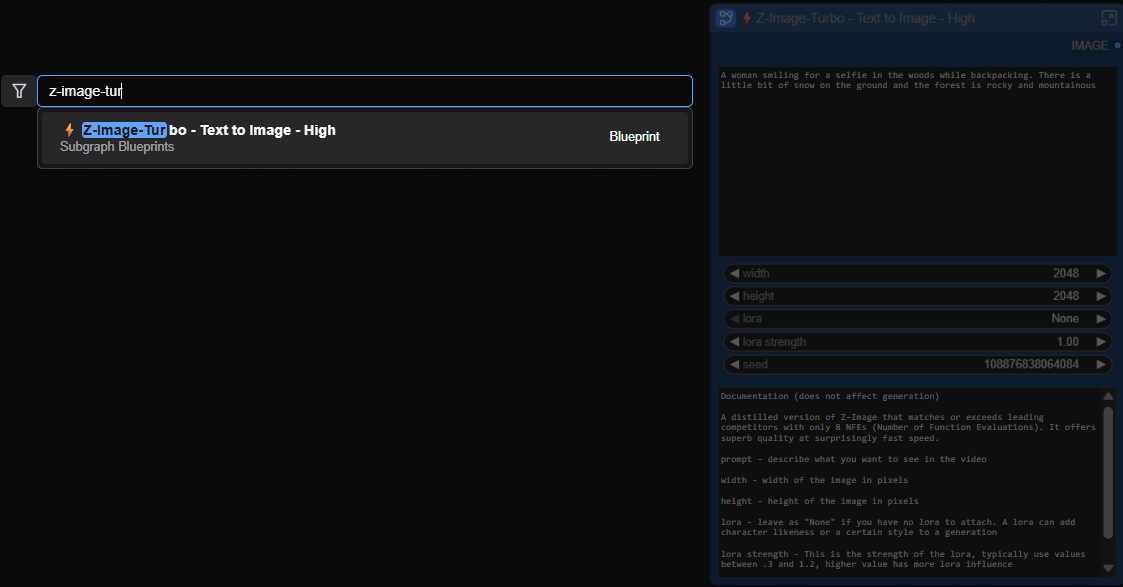
You can drop this subgraph into any workflow and connect it to your existing nodes, just like a native ComfyUI node.
Finding Your Subgraphs
After installing workflows, search for their subgraphs using ComfyUI's node search (double-click on the canvas or press Space). Subgraphs are named after their parent workflow.
Related
- Workflow Installer — Install workflows that include subgraphs
- The Nuvu Advantage — See subgraphs in action
- Install Missing — Install dependencies for workflows
- Subscribe to Premium — Unlock all workflows and subgraphs